 PlugPress
Troubleshooting and FAQ
Almost every Saddle problem is one of eight things — and two of them aren’t problems at all, but safety systems doing their job. This guide tells them apart and fixes each one.
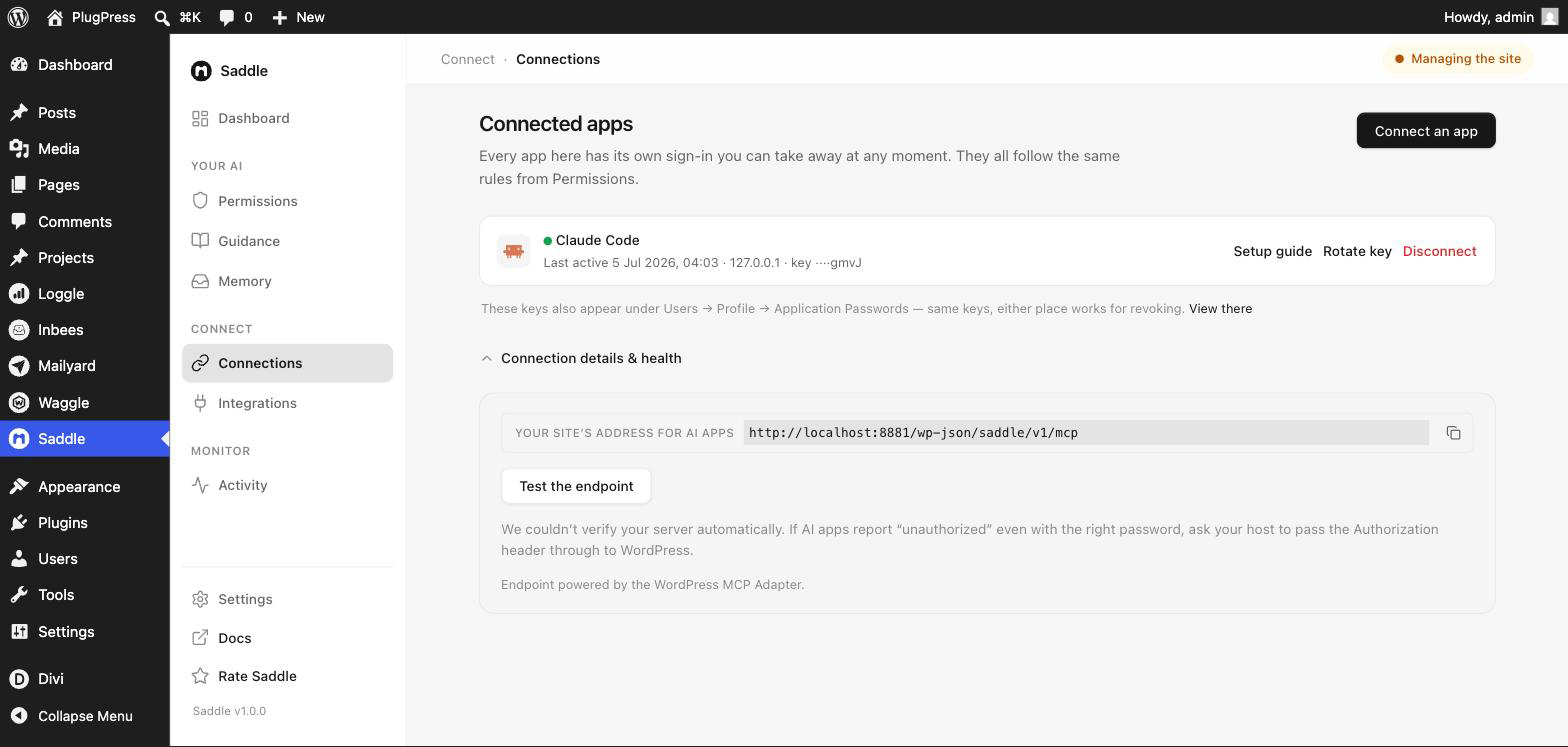
Before anything else, open Saddle → Apps and expand Connection details & health. It checks your server for you and names the fault, which is faster than guessing.
Which problem do I have?
| What you see | What it means | Fix |
|---|---|---|
| 401, “key rejected” | The key was revoked or rotated | Reconnect or rotate the key |
| 401, “no key arrived” | Your server strips the Authorization header |
Run the health check |
| “Application Passwords are disabled” | WordPress can’t issue keys at all | Re-enable them |
| “Not allowed” / permission error | One of your own controls blocked it | Check the three controls |
| “This needs confirmation” | The approval gate — working correctly | Review and approve |
| Connected, but the app has no tools | The app never received the tool list | Update Saddle, then re-add the connection |
| ChatGPT: “does not implement OAuth” / timeout | Sign-in is off, or a cache serves old pages | Turn on sign-in in the wizard; purge caches |
| Saddle Pro: “needs 1.1.0 or newer” | Pro 1.2.0’s version check was wrong | Update Saddle Pro to 1.2.1 |
Why does my AI app get a 401 “key rejected” error?
Cause: that connection’s sign-in key no longer matches what the site expects — it was disconnected, or the key was rotated and the app still has the old one. Old setup snippets stop working the moment a key rotates.
Fix: go to Saddle → Apps. You have two options on the app’s row:
- Rotate key — issues a fresh key under the same name and invalidates the current one immediately. Use this when you’ve lost the key, or think it may have leaked. Saddle then shows the full setup again; paste it into your app before closing.
- Setup guide — reopens the instructions for that app without changing the key. Useful when you just need the address or the config shape.
Saddle only ever stores a key’s name and its last four characters, so it cannot show you an existing key again — rotating is the way back in.
Why does my AI app get a 401 “no key arrived” error?
Cause: your web server is stripping the Authorization header before it reaches WordPress. The app is sending the key correctly; the server drops it in transit. This is a common default on Apache and LiteSpeed with certain FastCGI configurations.
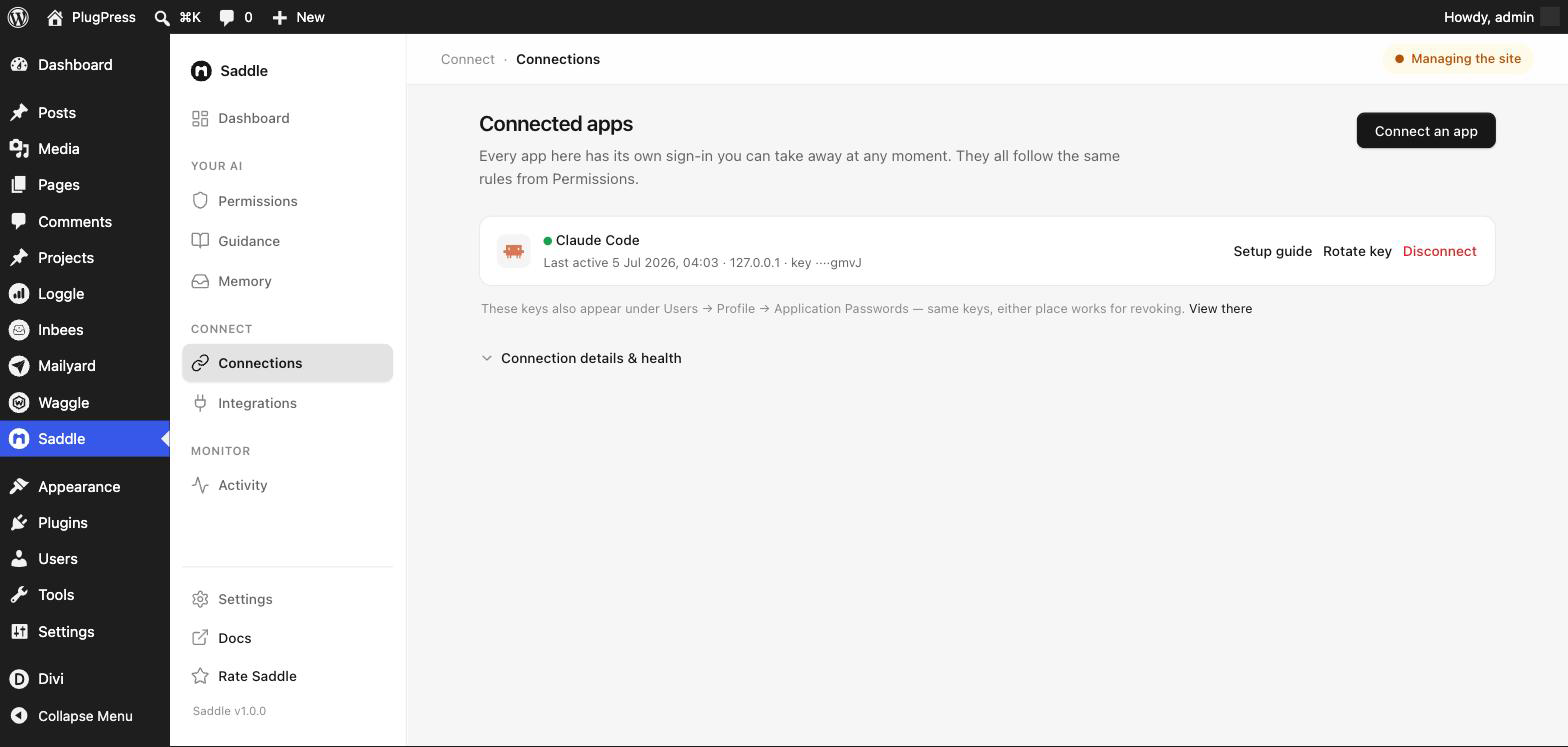
Fix: open Saddle → Apps → Connection details & health. Saddle sends a test request to its own site to see which headers survive, then tells you what it found:
- If your site runs Apache or LiteSpeed and its
.htaccessfile is writable, you get a warning card titled “Your server is blocking app sign-ins” with a “Fix it for me” button. One click adds the rewrite rule and re-tests. - If Saddle can’t edit your configuration — nginx, a read-only
.htaccess, or managed hosting — it says so and gives you copyable Apache and nginx snippets to hand to your host instead.
If the header still doesn’t arrive after the rewrite is added, Saddle tells you that too rather than claiming success.
What if it says a different header is being removed?
You may see a calmer note about your host removing one of WordPress’s own headers (X-WP-Nonce). There is deliberately no automatic fix for this one — it does not affect AI apps signing in with a key, and the safe change depends on your host. Connected apps keep working.
Why does it say Application Passwords are disabled?
Cause: WordPress’s Application Passwords feature has been switched off — usually by a security plugin, a host-level policy, or a snippet in a theme. Saddle issues every connection key through that feature, so with it off, no app can connect and no new keys can be created.
Fix: re-enable Application Passwords. Check your security plugin’s settings first, then any custom code filtering wp_is_application_passwords_available. If your host disabled it, ask them to turn it back on. This is the most serious of the connection faults — Saddle reports it ahead of everything else, because nothing works until it’s resolved.
Note that a site served over plain HTTP also has Application Passwords disabled by WordPress itself. Use HTTPS.
Why was a tool call refused with a permission error?
Cause: one of your own controls blocked it. A refused call changes nothing at all — there is no partial write.
Fix: if the action should be allowed, check the three controls in this order:
- Saddle → Settings → AI access. If this is paused, every call from every app is refused. The status pill at the top of every Saddle screen reads Paused when it is.
- Saddle → Permissions → access level. Just reading refuses every change; Reading & writing refuses site-management tools.
- Saddle → Permissions → the individual tool. Expand See everything it can do and check that specific tool’s switch.
Retrying without changing anything won’t help — the refusal is deliberate. Full detail in Permissions and Access Levels.
My AI said a deletion needs confirmation. Is something broken?
No — that’s the approval gate, and it is the system working exactly as designed. Every destructive action returns a preview and a single-use token first; nothing is touched until the app calls again with that token. Read the preview, and tell your assistant to go ahead if it’s right.
My app connected, but says it has no tools
Cause: the app signed in successfully and then received an empty list of tools — or no list at all. This is not the same as a refused call. A refusal means Saddle heard the request and deliberately said no; this means the app never learned what it was allowed to ask for.
Fix: work through these in order.
- Update Saddle. Older versions expected every connected app to keep a session open between requests. Some apps — ChatGPT connectors in particular — don’t work that way, so their request for the tool list was turned away before Saddle answered it.
- Remove the connection and add it again. Most apps ask for the tool list once, when you first connect, and remember the answer. If it was empty then, it stays empty no matter what you fix afterwards. In ChatGPT, delete the connector and create a new one rather than using “refresh”.
- Check what sits in front of WordPress. A CDN, firewall or security plugin that filters requests to
/wp-json/can let the sign-in through and block the rest. Ask your host whether anything is filtering that path, and purge any page cache after making changes.
If the app still shows nothing after all three, get in touch — include which app it is, and what it says word for word.
Why does ChatGPT say my site “does not implement OAuth”?
Cause: ChatGPT connects through Saddle’s OAuth sign-in, not a pasted key — and either that sign-in is still off (it’s off by default), or a page cache/CDN is serving the “not found” pages from before it was turned on. Older Saddle versions also didn’t publish the sign-in addresses ChatGPT checks first, which produced the same error on a fully working site.
Fix: update Saddle, then pick ChatGPT in Saddle → Apps → Connect an app — if sign-in is off, the wizard shows a Turn on sign-in button. If your site runs a page cache or CDN, purge it after turning sign-in on, then delete and recreate the connector in ChatGPT. The full walkthrough, including every connector-specific failure, is in Set up Saddle MCP.
Why does Saddle Pro say it needs a newer Saddle?
Cause: Saddle Pro 1.2.0 shipped with a wrong minimum-version check. It demands a free Saddle version that was withdrawn before release, so next to the current free plugin it disables itself — the notice reads “Saddle 1.0.0 is active, but Pro needs 1.1.0 or newer” and every builder tool disappears from your AI’s toolkit.
Fix: update Saddle Pro to 1.2.1 or newer. That’s the whole fix — the builder tools come back on their own. Don’t look for a newer free Saddle; 1.0.0 is the current version, and the free plugin was never the problem.
FAQ
Does Saddle send my content anywhere?
No. Your content, your site data and your AI’s tool traffic never leave your WordPress install. There is no PlugPress relay, proxy, or analytics endpoint, and no telemetry of any kind.
Saddle makes four outbound requests, and you start every one of them: fetching a URL you told it to import, checking its own address during a health check, calling Unsplash if you added your own Access Key, and fetching an app’s identity document if you turned on OAuth sign-in.
There is one more, and only in one case. If you installed Saddle from plugpress.co rather than WordPress.org, that copy checks for its own updates. It sends the plugin name and the version number you have, to one fixed address, at most once every six hours, and only when WordPress runs an update check. No site address, no content, nothing about you. It is what WordPress already does for every plugin from WordPress.org, pointed at us instead. The WordPress.org copy makes no outbound request at all — the update code is not in that download.
Do I need the MCP Adapter plugin as well?
No. Saddle speaks MCP on its own and there is nothing else to install. If the separate MCP Adapter plugin happens to be active on your site, Saddle detects it and uses it instead — same address, same tools, same access levels. The Transport line under Connection details & health tells you which one is in play.
Can I see what an AI app changed on my site?
Yes — Saddle → Activity lists every change made through Saddle, newest first, along with every attempt that was blocked. Reading is never logged; only changes are.
How do I cut off AI access instantly?
Flip AI access off in Saddle → Settings to suspend every connection at once, or use Disconnect on a single app’s row in Saddle → Apps to cut off just that one.
Does Saddle work with several AI apps at once?
Yes. Create a separate connection per app — each gets its own key and can be rotated or disconnected independently, without affecting the others.
An AI edit looks wrong — can I undo it?
Posts and pages keep normal WordPress revisions, so you can restore a previous version from the editor. Deleted items go to the trash and can be restored until the trash is emptied.
My AI can’t see a plugin’s tools.
Check Saddle → Integrations — it lists what Saddle has detected. If the plugin is active but its tools aren’t there, the plugin may not expose them, or its tools may be switched off on the Permissions screen.
The connect wizard never notices ChatGPT connecting.
It should flip to connected the moment you approve ChatGPT on the consent screen. If it doesn’t, update Saddle — older versions couldn’t detect ChatGPT connections — and see Set up Saddle MCP.