 PlugPress
Site Management: Plugins, Themes and Settings
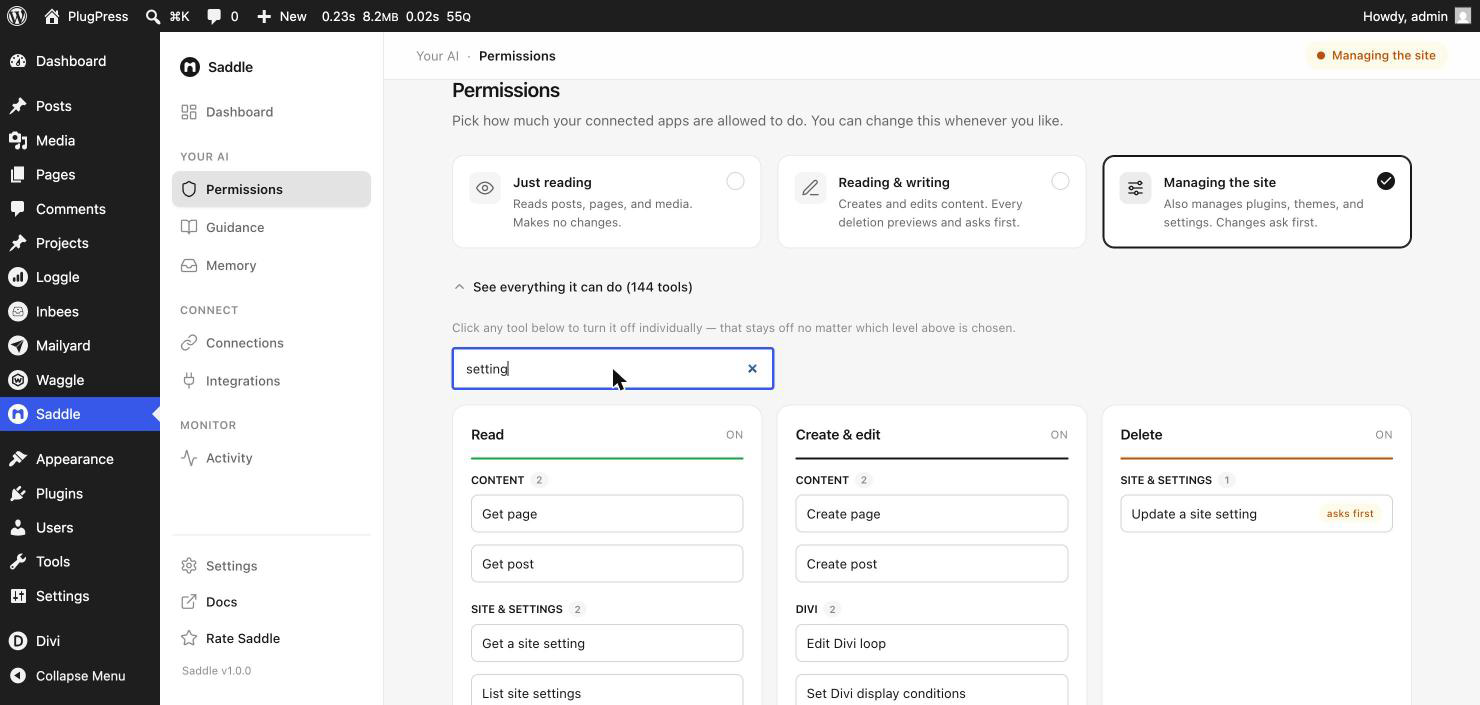
The top access level, “Managing the site”, lets an AI work on your WordPress configuration rather than just your content — activating a plugin, switching a theme, reading and changing settings, clearing the cache.
It’s opt-in for the obvious reason: these changes affect the whole site at once. Nothing here is available at Just reading or Reading & writing.
What can it actually do?
| Tool | What it does |
|---|---|
| List plugins | Every installed plugin, with version and active state |
| Activate / deactivate plugin | Turns an already installed plugin on or off |
| List themes | Every installed theme |
| Activate theme | Switches the active theme |
| List options / get option | Reads WordPress settings |
| Update option | Changes a setting — asks first |
| Flush cache | Clears the object cache |
What it deliberately can’t do
The list above is the whole list, and the omissions are the point:
- No installing plugins or themes. An AI can turn on what you already have. It cannot fetch and install new code from anywhere.
- No deleting plugins or themes.
- No updating WordPress, plugins, or themes.
- No running code. No PHP, no shell, no WP-CLI — not at this level, not at any level. This is the single most common shortcut in AI-for-WordPress tools and Saddle doesn’t have it.
- No user management. Users can be listed and read, never created, edited, or given roles.
An AI at the highest access level still cannot introduce new code to your site. That boundary doesn’t move.
What’s it useful for?
- Diagnosis. “Which plugins are active, and is anything obviously conflicting?” — much faster than clicking through.
- Deactivate-to-test. Narrowing down a broken page by turning things off, one at a time.
- Settings you can never remember the location of. Reading the current value, at least, is instant.
- Clearing cache after a batch of content changes, so a preview reflects reality.
How is it kept safe?
- It’s off unless you choose it. Sites default to Just reading; this needs the top level, set by hand.
- Changing a setting asks first. Updating an option is destructive — it overwrites a value with no undo — so it goes through the approval gate and previews before it acts.
- Every tool has its own switch. You can be at the top level and still turn off, say, theme activation.
- Everything is logged. Configuration changes appear in Activity like any other change.
A reasonable pattern: raise the level when you want this help, then drop back to Reading & writing when you’re done. Changing it takes effect immediately and doesn’t require reconnecting anything.
FAQ
Can an AI break my site with this?
It can deactivate a plugin your site depends on, or switch to a theme you didn’t want — both recoverable from wp-admin, and both logged. It cannot install code, run code, or delete files.
Can it change my site URL or admin email?
Those are options, so at this level, yes — with a preview and your confirmation first. If that’s more than you want, turn the update-option tool off and leave the read-only ones on.
Is “list options” a privacy risk?
It reads WordPress settings, which is what an administrator sees. Plugins occasionally store API keys in options, so treat the top level as an administrator-equivalent grant for reading configuration, and only give it to apps you’d trust with your dashboard.
Why can it activate but not install?
Installing means fetching and executing new code. That’s the line — “turn on something the owner already chose to install” is a very different risk from “download and run something new”.
Do I need this level for page building?
No. Content and layout work — including Divi with Saddle Pro — is Reading & writing. Only site-wide design system changes reach into this level.