 PlugPress
How to Switch to Waggle from Yoast, Rank Math, or All in One SEO
Waggle imports your SEO data in three steps and shows you what will change before it
changes anything. Go to Settings → Import, pick your old plugin, and press Preview.
You get a list of what would be copied. Nothing is written until you press Migrate.
The import only fills empty Waggle fields. Anything you have already set in Waggle stays
as it is, so running the import twice is safe.
What gets imported?
Waggle reads the meta your old plugin saved on each post:
| From your old plugin | Becomes in Waggle |
|---|---|
| SEO title | SEO Title |
| Meta description | Meta Description |
| Focus keyword(s) | Focus Keywords |
| Canonical URL | Canonical URL |
| Social title and description | Social title, Social description |
| Social share image | Social Image |
noindex setting |
Hide from search engines |
You can import from Yoast SEO, Rank Math, All in One SEO and Slim SEO.
Waggle reads each plugin's data straight from the database. The old plugin does not need to
be active.
SEOPress is recognised too, but only for the head. Waggle knows to stand back on pages
SEOPress owns. There is no SEOPress importer yet.
How do I run the import?
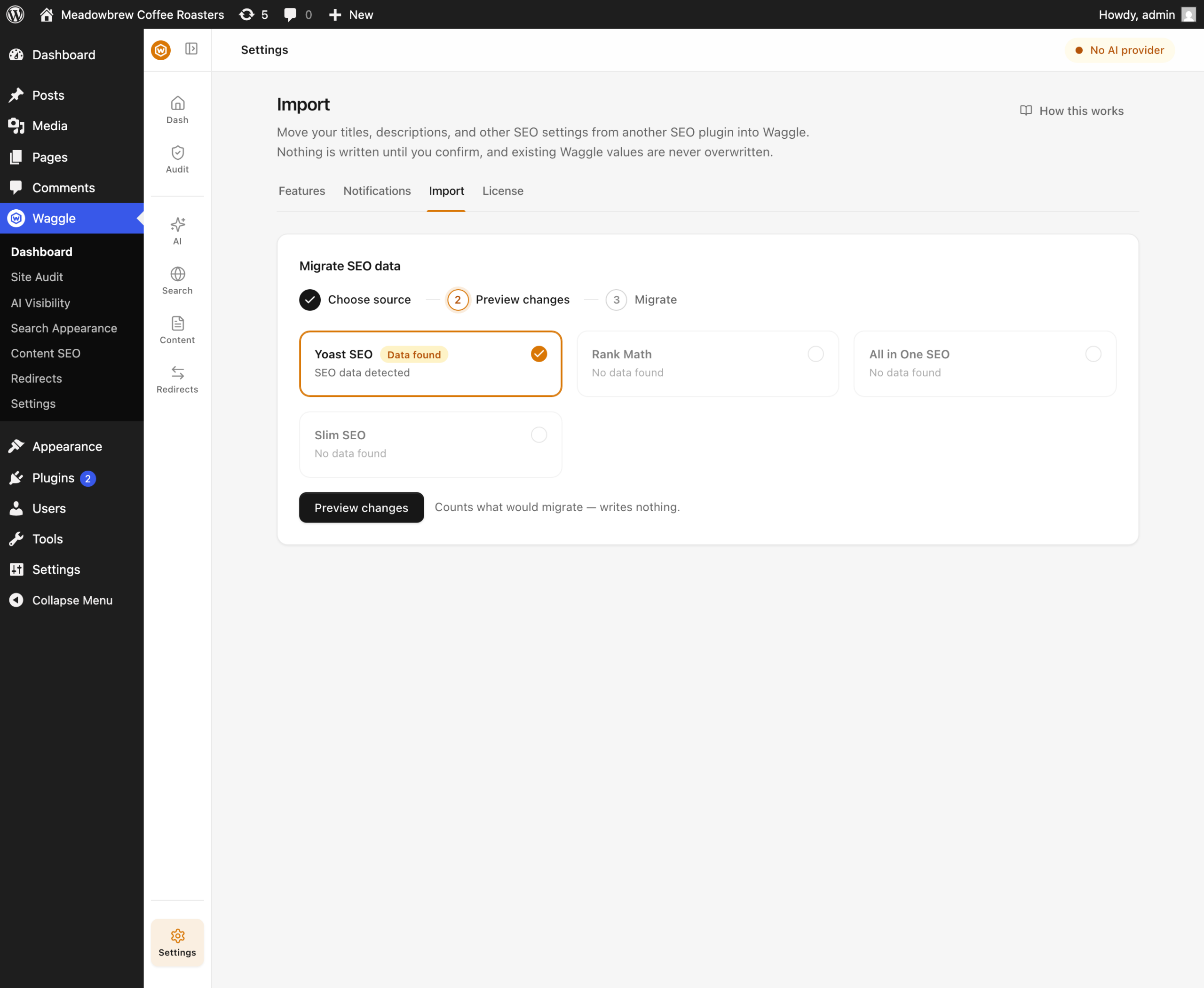
- Open Settings → Import.
- Pick your source. Waggle shows you which plugins have data.
- Press Preview. This writes nothing. You get a count of affected posts and a list of
what would be copied. - If the preview looks right, press Migrate.
- Open a few posts in the editor and check the Waggle panel. See
the Waggle panel in the editor.
Will the import overwrite my Waggle data?
No. The importer skips any field that already has a value.
So if you wrote your own homepage title and then import from Yoast, your title stays. To
use the old plugin's value instead, clear the Waggle field first and run the import again.
Do I have to turn off my old SEO plugin?
No. Running Waggle beside Yoast, Rank Math, All in One SEO or SEOPress is supported, and
needs no setup.
Here is the rule. On a page where you have given Waggle a title or description, Waggle
writes the tags and quietly switches the other plugin's off. On every other page, Waggle
stands back and your old plugin keeps working. You never get two title tags, and you never
get a page with no description.
That matters most right after an import. Every post that had Yoast data now has Waggle
data, so Waggle takes those pages over. Posts that Yoast was generating a description for,
without one being written, stay with Yoast until you fill them in.
Turn the old plugin off whenever you like. Its data stays in the database, so you can
import again later. Deleting it may remove that data, so deactivate rather than delete
until you are sure.
What about my redirects?
Redirects are not part of the SEO import. Waggle has its own redirect manager under
Redirects → Rules, and it reads CSV. Exporting from your old plugin and importing
the CSV is usually fastest. See
fixing broken links and 404s.
What should I check afterwards?
- Run the audit. Waggle → Dashboard → Run audit scores your site out of 100 and
tells you what the import did not cover. See
running the site audit. - Check Search Appearance → Homepage. Every plugin stores front-page SEO differently, so this is the
field most likely to arrive empty. - Check Search Appearance → Verification. Search Console and Bing tokens are not imported. Paste
them in again. - Open
https://example.com/sitemap.xmland confirm it lists real URLs. An old
sitemap.xmlfile left on disk will be served instead of Waggle's. The audit flags this.
FAQ
Does the import change my live pages?
Not by itself. It copies stored meta into Waggle's fields. Your pages change because Waggle
then writes those values instead of your old plugin, which is the point of moving.
Can I import from more than one plugin?
Yes, one at a time. The importer never overwrites a filled field, so running Yoast and then
Rank Math fills gaps instead of fighting.
Can I undo an import?
There is no undo button. Preview is the safety step, which is why it writes nothing. Back
up your database before migrating a large site, as you would with any bulk change.