 PlugPress
Safe Deletions and the Approval Gate
An AI assistant can never destroy anything on your site in a single step. Every destructive action — deleting a post, removing a block, overwriting a setting — first returns a preview of what would happen, plus a one-time confirmation token. Only a second call, carrying that exact token, actually does anything.
There is no setting that turns this off. It isn’t a preference; it’s how the tools are built.
How does the two-step flow work?
- The AI asks to delete something. Instead of deleting, Saddle answers with a preview — what the item is, what it contains — and a single-use token.
- You review it. A well-behaved assistant shows you the preview and waits. Nothing has changed at this point.
- The AI confirms. Only after you agree does it call again with the token, and only then does the change happen — exactly once.
The token has three properties that matter:
| Property | What it means |
|---|---|
| Single-use | It works once. A second attempt with the same token is refused. |
| Target-bound | It’s tied to the exact thing you previewed. It can’t be reused to delete something else. |
| Time-limited | It expires after 15 minutes. A stale approval can’t be cashed in later. |
Which actions go through the gate?
Anything that removes something, or overwrites it without a way back. In the free plugin:
| Action | What it affects |
|---|---|
| Delete post | Goes to trash unless explicitly forced |
| Delete page | Goes to trash unless explicitly forced |
| Delete media | Removes an attachment and its files |
| Remove block | Removes a block from a page’s layout |
| Update a site option | Overwrites a WordPress setting |
| Bootstrap a design system | Writes a whole palette and type scale at once |
| Forget a memory entry | Removes something your AI had stored |
Plugins that connect through Integrations, and Saddle Pro’s Divi tools, use the same gate — deleting a global color or a Theme Builder template asks first too.
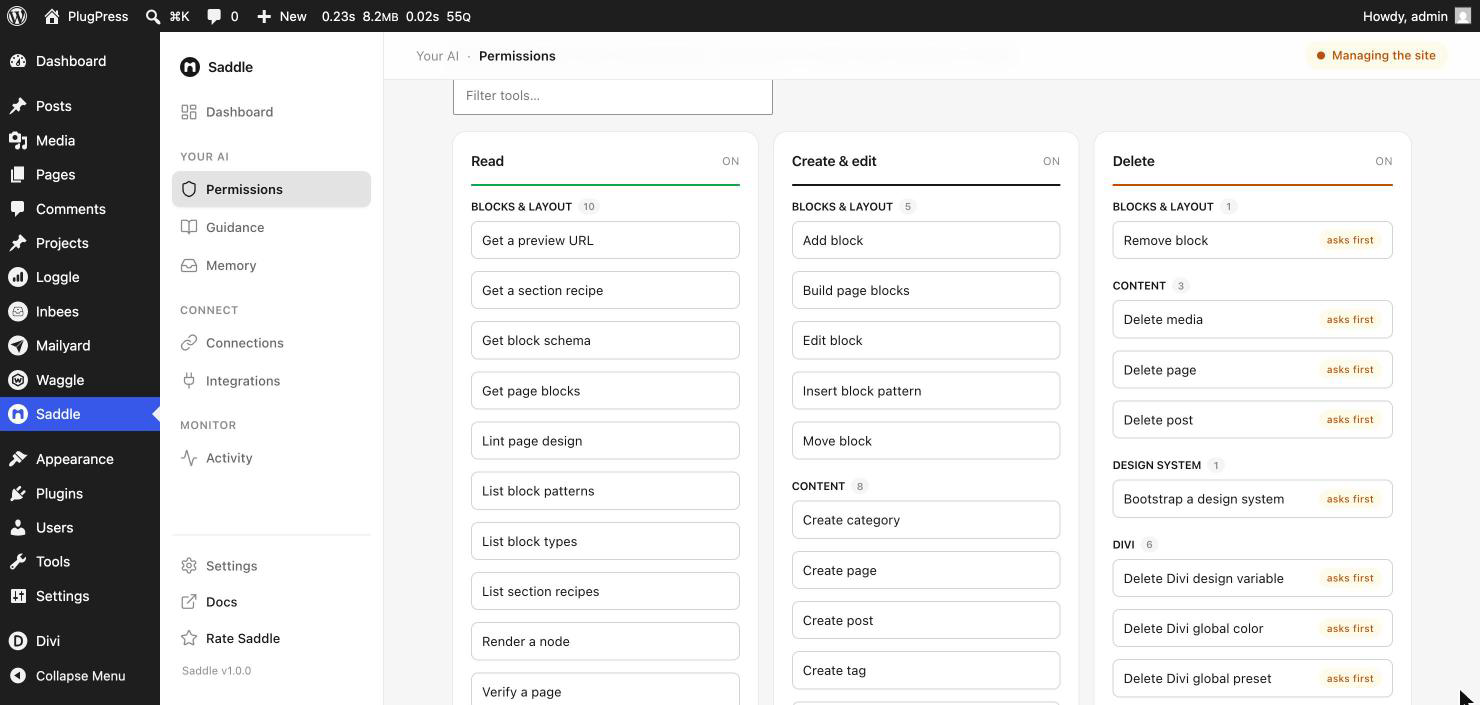
You can see which tools are gated on the Permissions screen: everything in the Delete lane carries an asks first badge.
Why does Saddle work this way?
AI assistants are very good at bulk work — which is exactly why deletion needs friction. “Clean up the old posts” is a reasonable sentence that could mean five things, one of which you’d hate. The gate makes the assistant show its work before it acts, and leaves the decision with you.
It also produces a clean record. Every destructive change is a deliberate, two-step, logged event rather than something that quietly happened.
Can the AI skip or automate the confirmation?
No. A fresh token is generated per request, works once, is bound to that specific target, and expires. There is no “trusted mode”, no bypass flag, and no setting anywhere in Saddle that disables the gate — deliberately, because a safety mechanism you can switch off under time pressure isn’t one.
Combined with access levels and per-tool switches, the worst case for a confused assistant is a refused or unconfirmed request — not lost content.
Is a preview-and-token response an error?
No — it’s the system working. If your assistant says a deletion “returned a confirmation request”, that’s the gate. Read what it’s proposing and tell it to go ahead, or don’t. Nothing has been touched.
What about the trash?
Normal WordPress behaviour still applies underneath. Deleting a post or page moves it to the trash, where you can restore it until the trash is emptied — the AI has to explicitly force a permanent delete to skip that, and even that goes through the gate first. Saddle’s approval step sits in front of WordPress’s own safety nets, not instead of them.
Posts and pages also keep their normal revisions, so an unwanted edit can be rolled back from the editor.
FAQ
Do I have to approve every single deletion by hand?
You approve them in conversation, which is usually one word. What you can’t do is pre-approve a category of deletions in advance — each one is its own decision.
What if I approve something by mistake?
Trashed posts and pages can be restored from the WordPress dashboard. Media deletions and permanent deletes are not recoverable from within WordPress — that’s what the preview is for.
Does the gate slow down normal writing?
No. Creating and editing content isn’t gated — only destructive actions are. An assistant can write a whole page without a single confirmation step.
Can I see deletions after the fact?
Yes. Saddle → Activity records every executed change, and every attempt that was blocked.
Does the gate apply if I raise the access level?
Yes, at every level including Managing the site. The access level decides what’s possible; the gate decides how it happens.