 PlugPress
Loggle Custom Goals: Count the Wins That Aren’t Money
Not every win is a payment. A newsletter signup, a completed contact form, a visitor reaching your thank-you page — Loggle calls these goals, and from version 1.3.0 you can count them and see which marketing channel drives them.
Goals are counts, never money. Revenue in Loggle only ever comes from verified payment sources, and a goal cannot add a penny to it. That separation is deliberate: your revenue numbers stay provable.
Build a goal — no code needed
Goals live where their numbers live: on the dashboard, in the Visitors panel’s Goals tab. There is nothing to set up in Settings.
- Open the Loggle dashboard and scroll to the Visitors panel. Switch it to the Goals tab.
- Click + New goal.
- Choose what to count: a Page visit (the default), or a Custom event if a developer will fire it from code.
- Pick the page. Your most-visited pages are offered as one-click suggestions under the field, or type any path — including one with no traffic yet, like a brand-new thank-you page. End the path with
*to count every page under it, for example/checkout/order-received/*. - The goal’s name fills itself from the page you picked; edit it if you like.
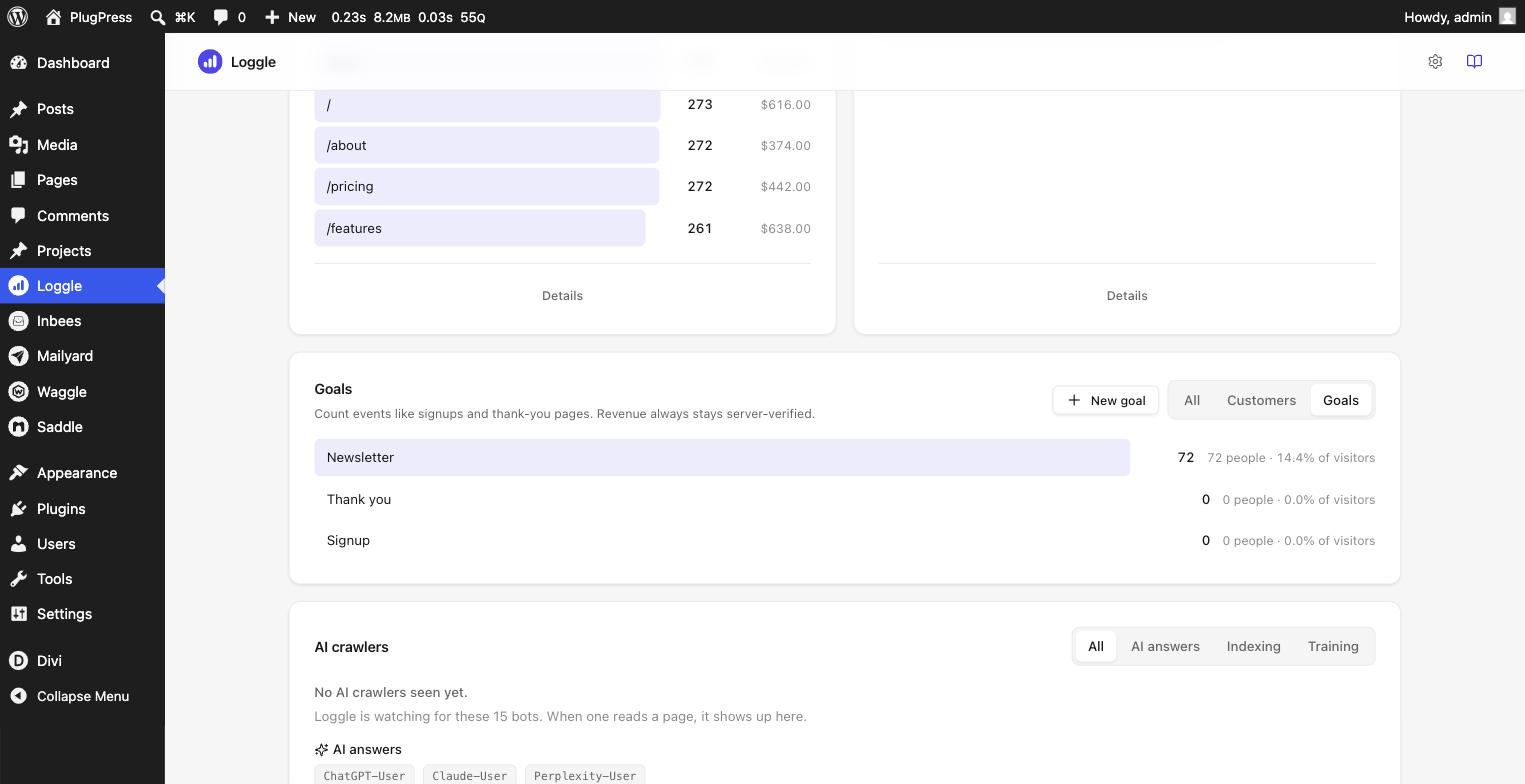
- Click Add goal. The goal saves immediately and appears in the list as a zero row, armed and waiting — there is no separate Save step.
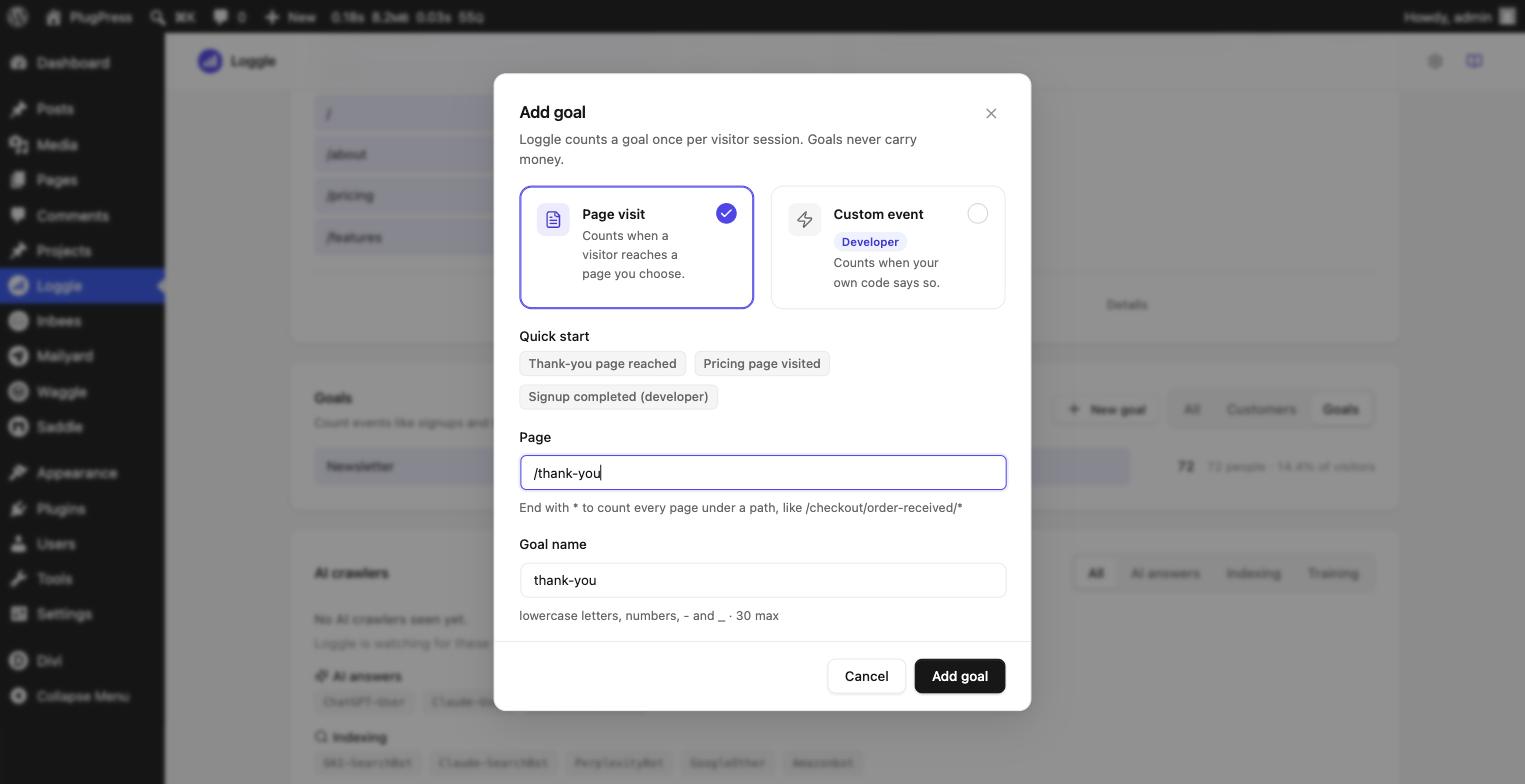
That is the whole setup. From that moment, any visitor who reaches that page completes the goal.
Quick-start presets
The Quick start row inside the same window fills the whole form in one click. If WooCommerce is active, Loggle adds presets for your store’s actual configured pages — Reached cart, Reached checkout, Order received, My account — so you never have to know what your checkout URL is. A preset you have already used disappears from the row.
Note: an “Order received” goal counts sessions that reach the thank-you page. Your purchase revenue is the separate, server-verified number from WooCommerce itself. The two can legitimately differ — that is not double-counting, they measure different things.
Editing and deleting
Click a goal in the list and its panel slides in. At the bottom sit Edit goal and Delete goal. Deleting asks for confirmation and stops future counting — completions already recorded stay in your history, and the list marks that row Not tracked anymore. Renaming a goal starts a fresh count under the new name; the old name’s history keeps its own row, and the edit window warns you before this happens.
How counting works
- A goal counts once per visit. Reloading the thank-you page, or clicking a goal button twice, does not inflate the number — the database refuses the duplicate.
- The same person completing the goal on a later visit counts again. That is usually what you want: two signups on two visits are two real events.
- Counting happens on your server when the visit is recorded, so page caching does not affect it.
Reading the Goals tab
For each goal the tab shows completions, how many different visitors completed it, and what share of all visitors in the period that is.
Click any goal and its panel shows completions by channel — the same first-click or last-click crediting your revenue reports use. “Which channel drives newsletter signups” is one click, not a filter-building exercise.
A goal you just created shows a zero row rather than disappearing — so you can see it is armed and waiting.
Goals in the Customers list
Goal completions appear in each visitor’s story with a Goal badge, alongside their page views and payments. Visitors who completed a goal but never paid appear in the Customers view with a dash for revenue.
From the command line
wp loggle goals prints the same numbers as the Goals tab. Add --goal=newsletter for the per-channel breakdown, and the usual --range, --from, and --to options work too.
For developers
Some wins are not page visits — a button click that opens a chat, a step inside a JavaScript app. For those, choose the Custom event type when adding the goal. The window shows both ways to fire it, with your goal’s name already filled in:
<button data-loggle-goal="newsletter">Subscribe</button>
window.loggle && loggle.goal('newsletter');
Only goal names you have defined are accepted; anything else is silently ignored. The same once-per-visit rule applies, and a code-fired goal still cannot carry an amount.
Honest limits
- Goals never carry money. There is no way to attach a value to one — by design, so client-side code can never invent revenue.
- “Clicks a link to…” goals are not in this version. Outbound clicks are already tracked as the Exit link report; a dedicated click-goal type is planned.
- A goal defined today starts counting today. Loggle does not backfill past visits into a new goal.
Next steps
See where goals sit among the other reports in Loggle Reports, Visitors, and Comparisons, or review the rest of the plugin’s options in How to Change Loggle Settings.