 PlugPress
Unsplash Images: Letting Your AI Find Photos
An AI that can write a page but not illustrate it stops halfway. With a free Unsplash Access Key, a connected assistant can search Unsplash and import openly licensed photos directly into your media library — no downloading, no uploading, no leaving the conversation.
It’s optional and off until you add a key. Bring your own: Saddle never uses a shared or bundled one.
How do I set it up?
- Create a free developer account at unsplash.com/developers and register an application.
- Copy the Access Key — not the Secret Key.
- In WordPress, go to Saddle → Integrations, paste it into Access Key, and click Save key.
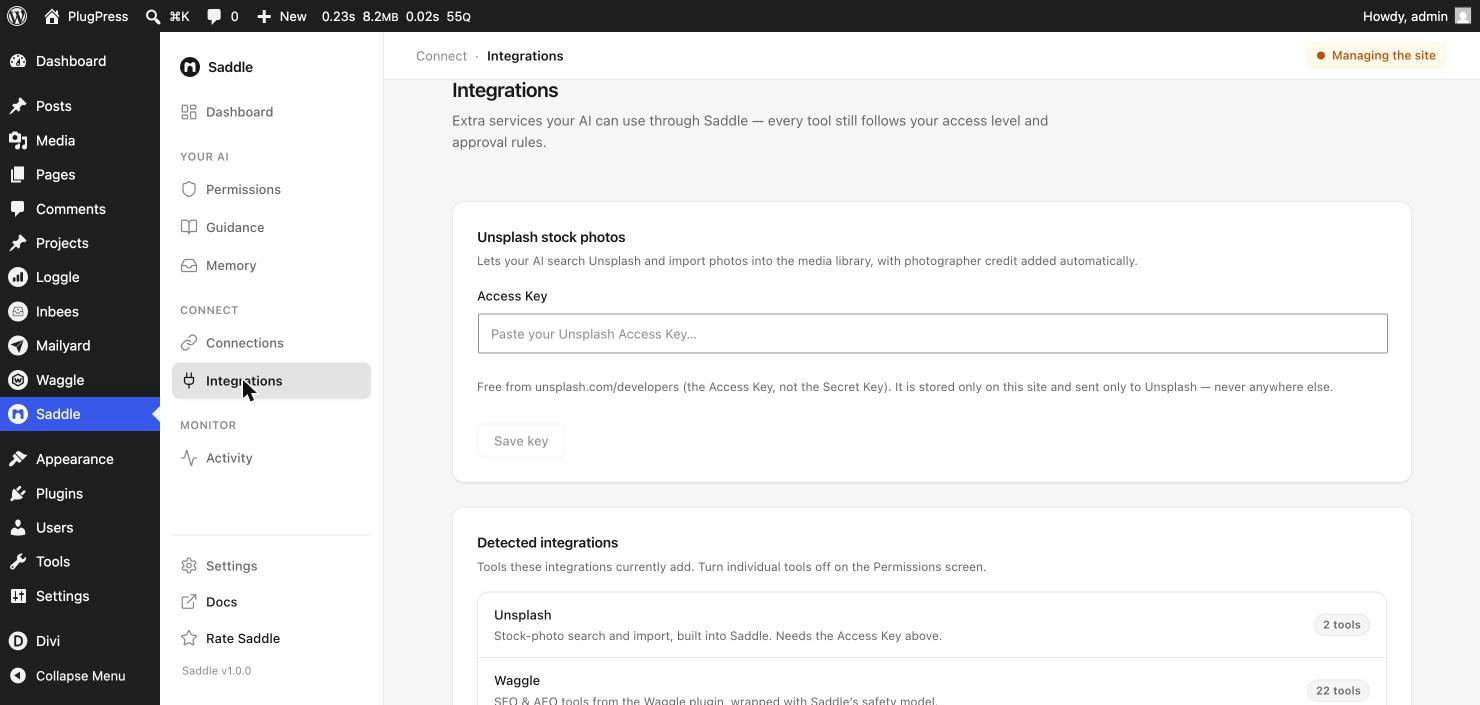
The key is stored on your own site and sent only to Unsplash — never anywhere else, and never to PlugPress.
What can the AI do with it?
| Tool | What it does | Access level |
|---|---|---|
| Search Unsplash | Finds photos matching a description. Reads only — nothing is saved. | Just reading |
| Import from Unsplash | Downloads a chosen photo into your media library | Reading & writing |
In practice you’d say something like “find a photo of a quiet workshop bench for the hero, import it, and set it as the featured image” — search, import, and placement in one go.
What happens to imported photos?
- They land in your normal media library as ordinary attachments.
- Photographer credit is attached automatically, which is what the Unsplash licence asks for.
- They’re tagged with the photo’s own Unsplash tags, so you can find them later — and Saddle can list everything that came from Unsplash, which is useful when you want to know what’s stock and what’s yours.
An assistant can then set alt text, titles, and captions like any other media. Ask it to — a stock photo with no alt text is a missed accessibility and SEO opportunity.
Is this a good idea for my site?
Honestly: it depends what for. Stock photography is fine for a blog post that needs a header image, and poor for anything where the picture is the point. If you have real photographs of your product, your team, or your work, use those. Unsplash is for the gaps.
FAQ
Does it cost anything?
No. Unsplash’s Access Key is free, and the demo tier allows a limited number of requests per hour — comfortable for occasional use. Heavy use needs their production approval.
Can I use the photos commercially?
The Unsplash licence allows commercial use without permission, though not reselling photos as-is. Read their licence for the specifics.
Is my content sent to Unsplash?
Only the search terms. Unsplash sees what the assistant searched for, and nothing else about your site.
Can I stop the AI importing but let it search?
Yes — the two are separate tools with separate switches on the Permissions screen.
What if I don’t add a key?
The tools exist but do nothing useful; the assistant is told the key is missing. Nothing else is affected.
How do I remove it?
Clear the Access Key field and save, or turn the Unsplash tools off in Permissions. Already-imported photos stay in your library.